
Proxmox Host iGPU Drivers & Modifications
Finish and make sure the Container doesn’t start after creation.
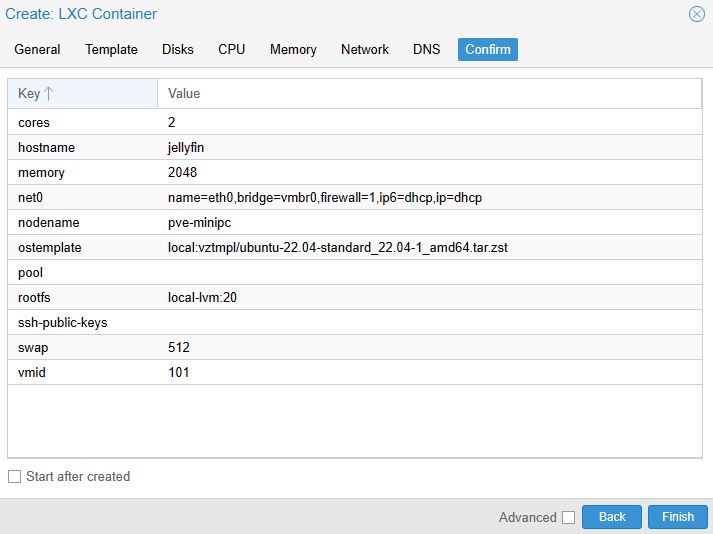
The container for Jellyfin on Proxmox is configured, but we need to make a few host changes first. This is going to be the most difficult part as the drivers you need to install will depend on the type of CPU and iGPU you’re using.
For the most part, you just have to ensure that the drivers are installed and if they are, you’ll have access to your iGPU for Jellyfin on Proxmox. We’ll install a package that will tell you if it is or isn’t working before you proceed.
1. Access the Shell on your Proxmox host and run the commands below to install a few of the packages we’ll need:
Add block to other drivers and leave only yours.
nano /etc/modprobe.d/blacklist.confand fill the below inside the file blacklist.conf
blacklist amdgpu
blacklist radeon
blacklist nouveau
blacklist nvidia\*
#blacklist i915
#blacklist iHD