
RustDesk New client install or Upgrade.
Method one AUTO
Windows Script AUTO
The below script is for RustDesk Client for NEW install or UPGRADE or configuring settings.
Open a Powershell as Administrator and then copy / paste and run with the below command.
Run in Powershell as Administrator :
Set-ExecutionPolicy -ExecutionPolicy Bypass -Scope Process -Force; Invoke-Expression (Invoke-WebRequest -Uri "https://docs.greenhome.stream/attachments/21" -UseBasicP) | Out-NullDone.
Method two MANUAL
First install the Rustdesk client from the below official link.
Windows guide setup.
To import the settings for ID/Relay follow the steps below.
Step 1
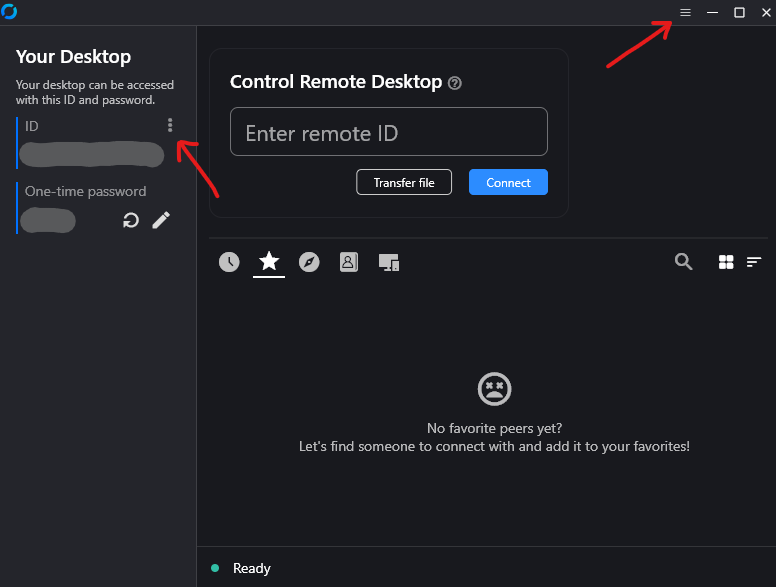
Step 2
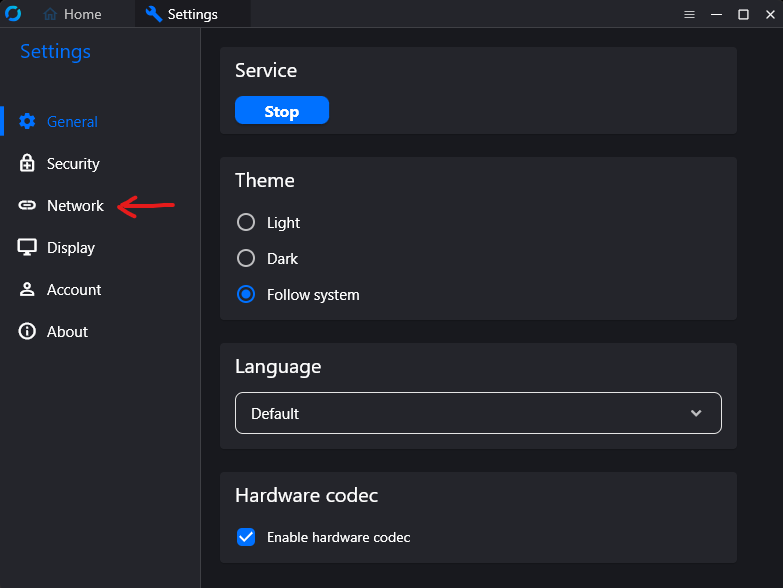
Step 3
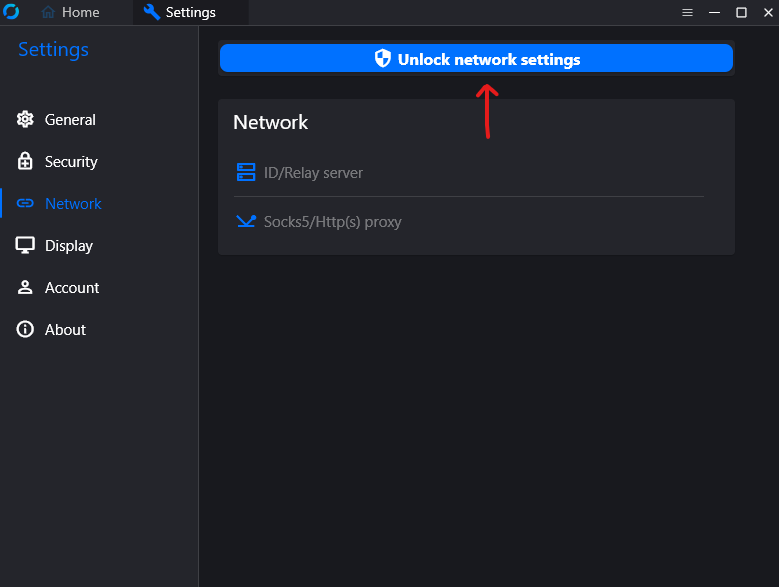
Step 4
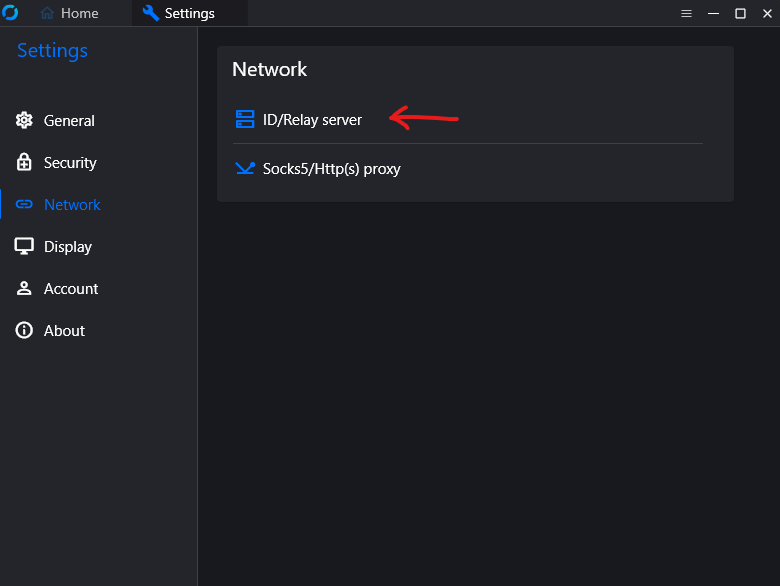
Step 5
Copy the text below and paste it at the below button where the red arrow show.
RustDesk Key
9JSPnFEOrtGWIVDbzh1dopXaZxmc3h0KYZ1S0dXexITcwEndRpmdVdjVzEEewIiOikXZrJCLi0WYlJHdz5SZt9GauVWZydmLpBXYts2clRGdzVncv8iOzBHd0hmI6ISawFmIsISbhVmc0NnLl12bo5WZlJ3Zus2clRGdzVnciojI5FGblJnIsISbhVmc0NnLl12bo5WZlJ3Zus2clRGdzVnciojI0N3boJye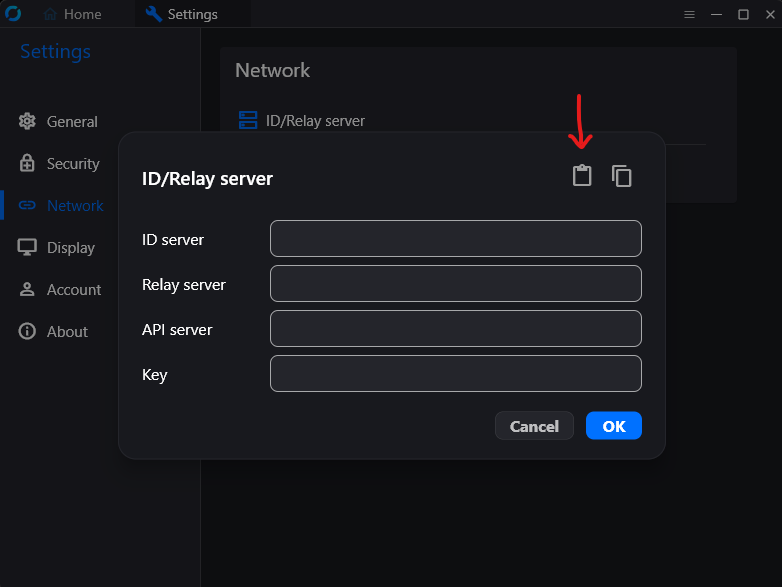
Windows client check server connection.
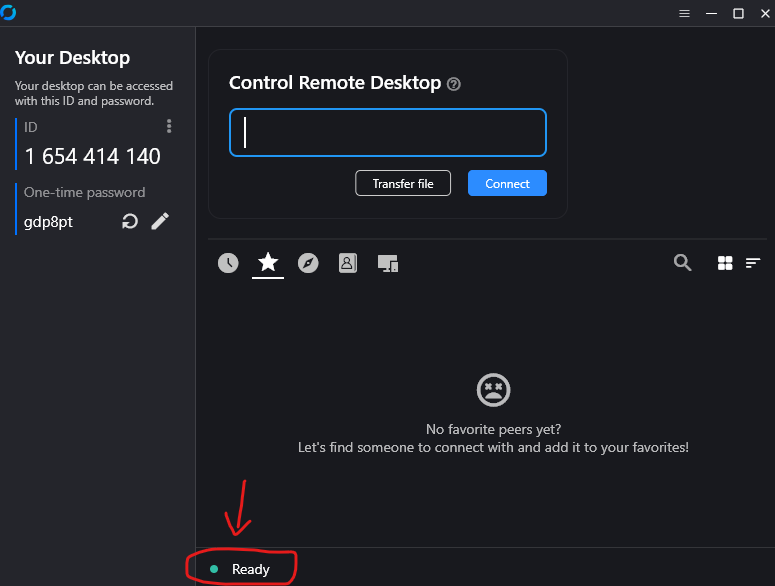
You are ready.
Android guide setup.
Step 1
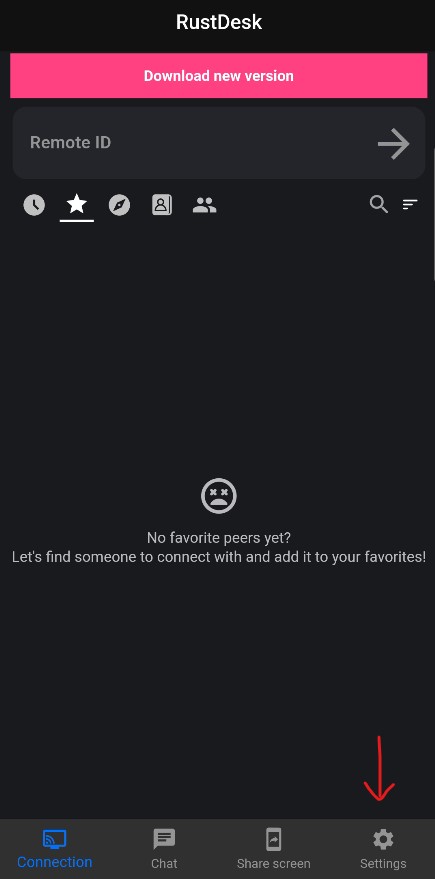
Step 2
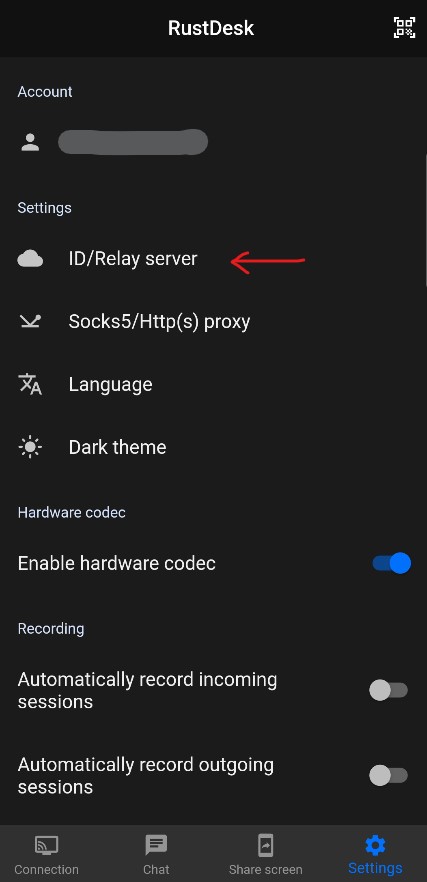
Step 3
Copy the text below and paste it at the below button where the red arrow show.
9JSPnFEOrtGWIVDbzh1dopXaZxmc3h0KYZ1S0dXexITcwEndRpmdVdjVzEEewIiOikXZrJCLi0WYlJHdz5SZt9GauVWZydmLpBXYts2clRGdzVncv8iOzBHd0hmI6ISawFmIsISbhVmc0NnLl12bo5WZlJ3Zus2clRGdzVnciojI5FGblJnIsISbhVmc0NnLl12bo5WZlJ3Zus2clRGdzVnciojI0N3boJye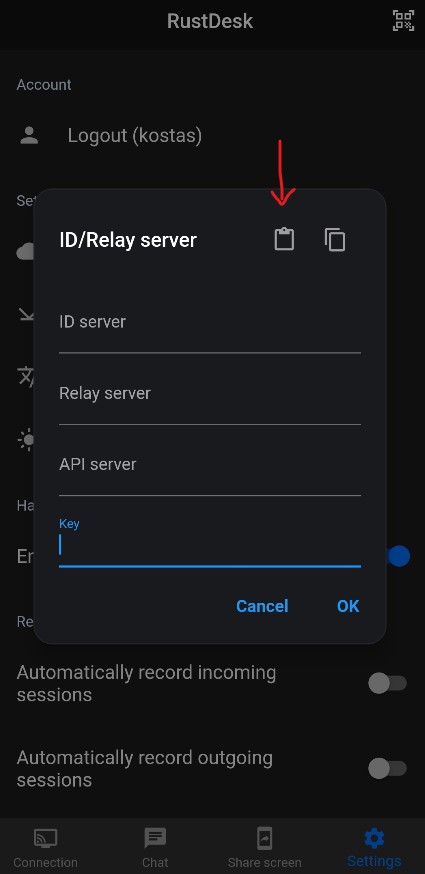
Android client check server connection.
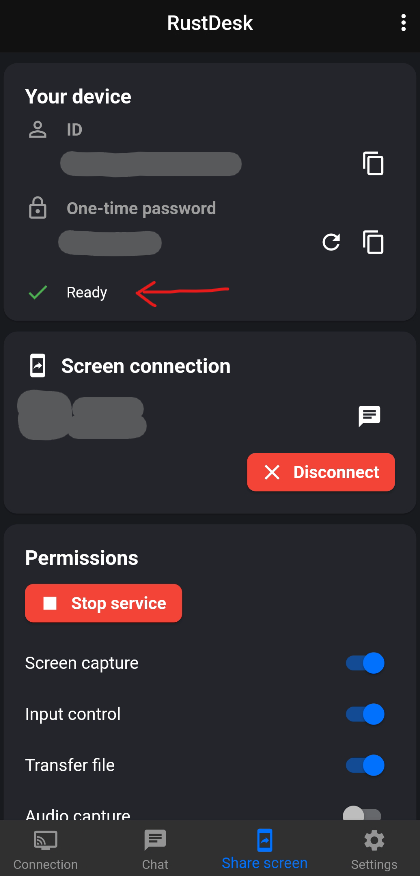
You are ready.