
RustDesk ID-Relay server settings
First install the Rustdesk client from the below official link.
Windows guide setup.
To import the settings for ID/Relay follow the steps below.
Step 1
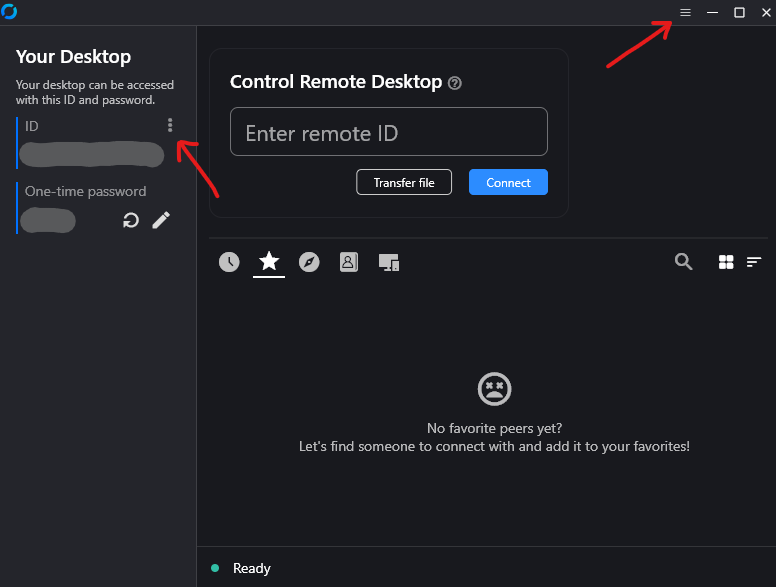
Step 2
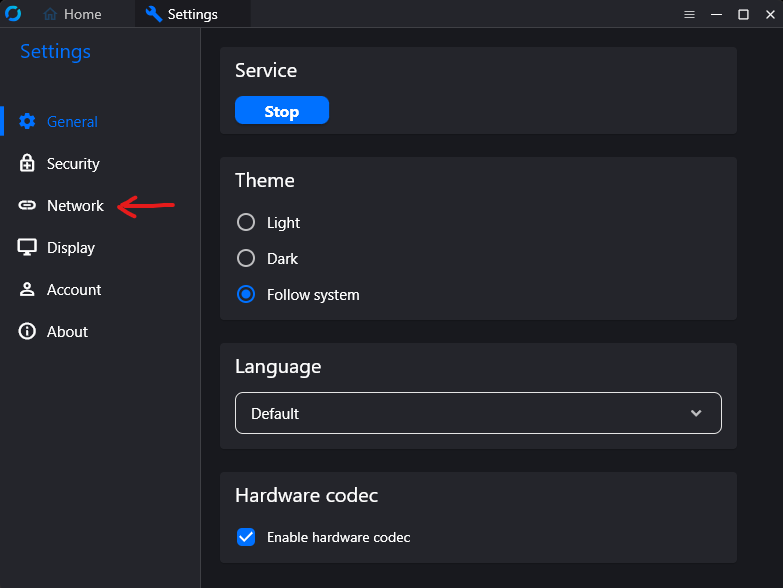
Step 3
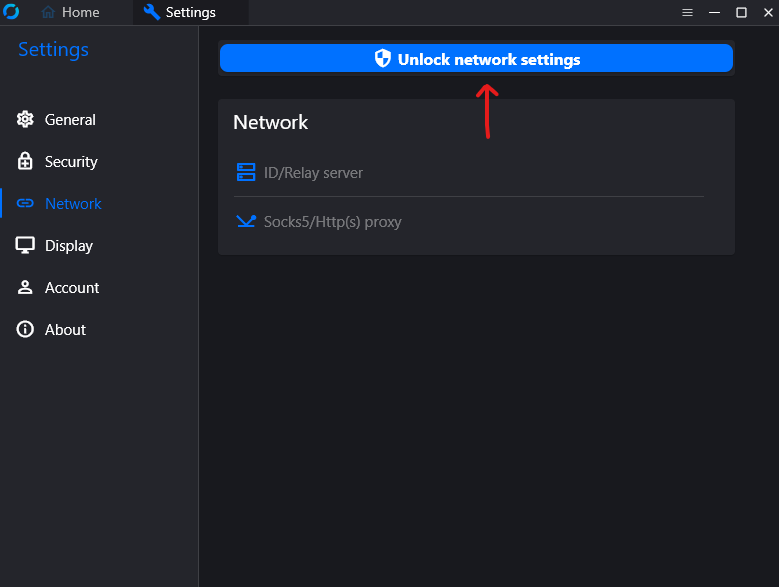
Step 4
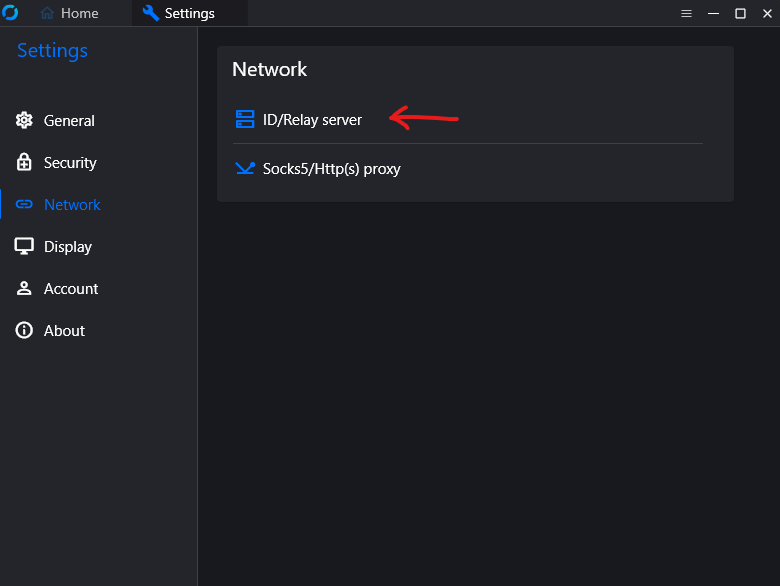
Step 5
Copy the text below and paste it at the below button where the red arrow show.
Choose the Kerberos RustDesk Key
Kerberos RustDesk Key
=0nI9cnNkhHNUxWOHlDV2VUSSJGdBpnTRlUMElnNMd3QN9Udy1WOMpkQ3t2UMNnI6ISeltmIsIybp5ib5RWZk5ycvJXZiJXZr5yazVGZ0NXdy9yL6MHc0RHaiojIpBXYiwiIvlmLulHZlRmLz9mclJmcltmI6ISehxWZyJCLi8Wau4WekVGZuM3byVmYyV2aiojI0N3boJyeGreenHome RustDesk Key
==Qfi0zZBhzarhFS1w2cYdHa6lWWsJ3dItCWWtEd3lXMyEHMxZXUqZXV3Y1MBhHMiojI5V2aiwiI0ETMxIjOtFWZyR3cuUWbvhmblVmcn5yazVGZ0NXdy9yL6AHd0hmI6ISawFmIsISbhVmc0NnLl12bo5WZlJ3Zus2clRGdzVnciojI5FGblJnIsISbhVmc0NnLl12bo5WZlJ3Zus2clRGdzVnciojI0N3boJye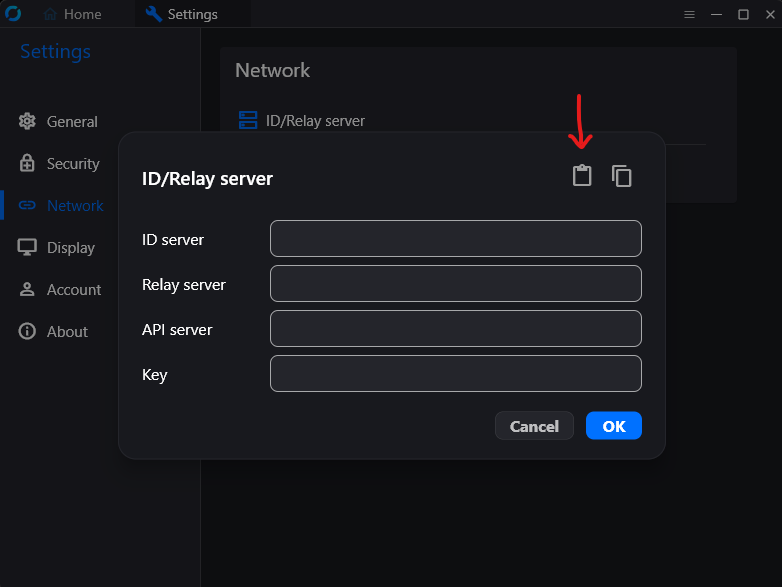
Windows client check server connection.
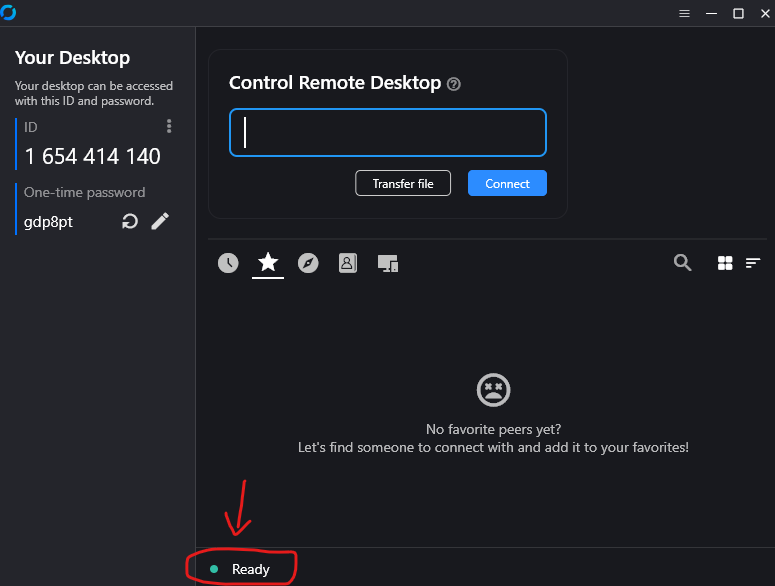
You are ready.
Android guide setup.
Step 1
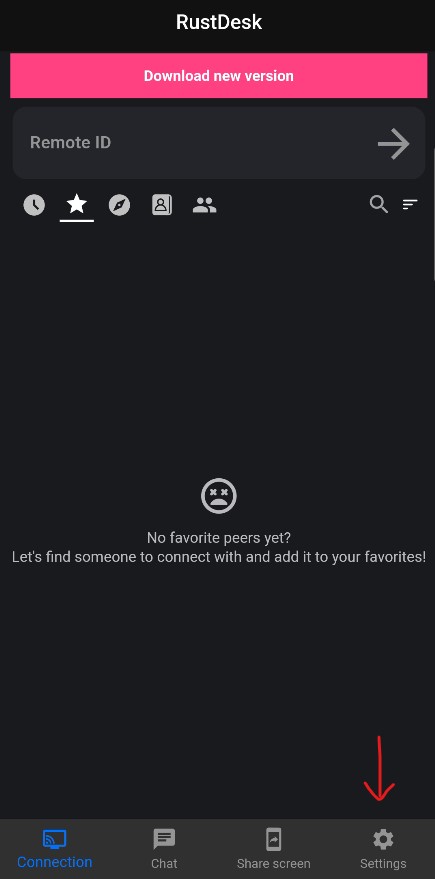
Step 2
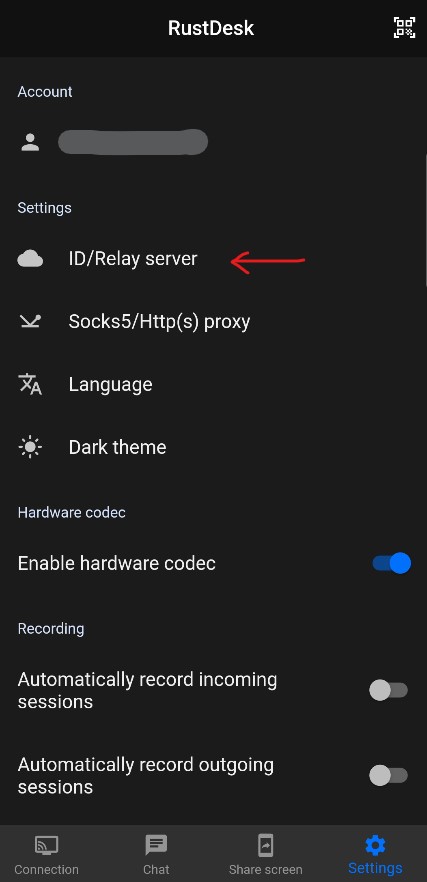
Step 3
Copy the text below and paste it at the below button where the red arrow show.
==Qfi0zZBhzarhFS1w2cYdHa6lWWsJ3dItCWWtEd3lXMyEHMxZXUqZXV3Y1MBhHMiojI5V2aiwiI0ETMxIjOtFWZyR3cuUWbvhmblVmcn5yazVGZ0NXdy9yL6AHd0hmI6ISawFmIsISbhVmc0NnLl12bo5WZlJ3Zus2clRGdzVnciojI5FGblJnIsISbhVmc0NnLl12bo5WZlJ3Zus2clRGdzVnciojI0N3boJye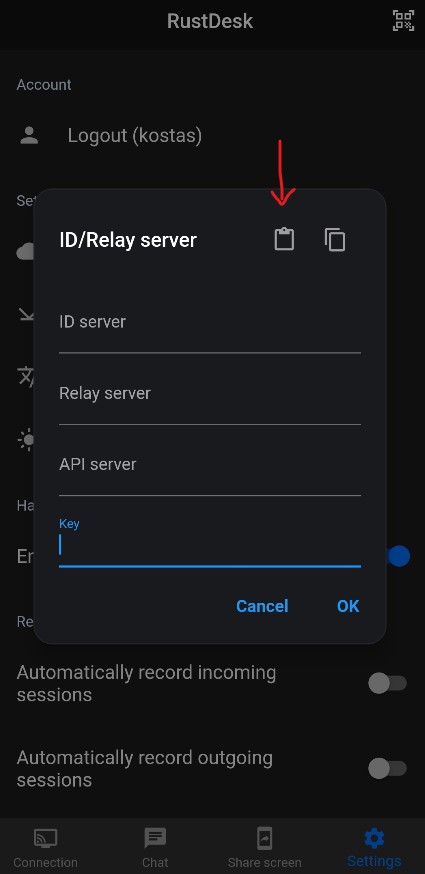
Android client check server connection.
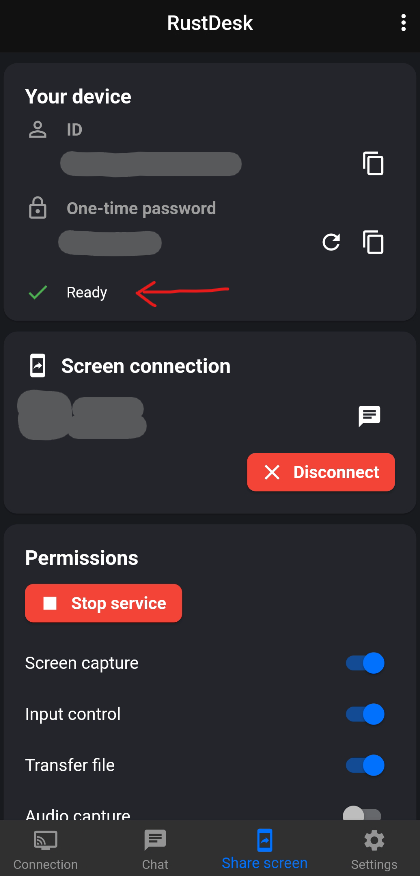
You are ready.