
Auto Update - Upgrade a Linux machine
The below script is to auto update - upgrade - remove - clean a Linux machine or Server.
Creating the script
Open the terminal and type the below command :
nano os-update.shand then copy / paste the below code inside the file "os-update.sh"
#!/bin/bash
clear
echo Getting Updates
echo ---------------
sleep 1
apt-get update
echo __________________________________________________
sleep 3
echo Installing Updates-Upgrades.
echo ----------------------------
sleep 1
## the below command is upgrade the system
apt-get upgrade -y
## the below command is disto upgrade the system
## uncomment the below and comment the above if you wan to distro upgrade also.
#apt-get dist-upgrade -y
echo __________________________________________________
sleep 3
echo Auto Remove Updates
echo -------------------
sleep 1
apt-get autoremove -y
echo __________________________________________________
sleep 3
echo Auto Clean Updates
echo ------------------
sleep 1
apt-get clean
apt-get autoclean
echo __________________________________________________
sleep 3
clear
echo System is Updated.
echo ------------------
sleep 5
then press Ctrl + x it will prompt you [ Save modified buffer? ] press y and enter
Make the script executable
After that you need to make the script executable, so you will write the below command :
chmod +x os-update.shAdd the script to cron job to run automatically
To run the script daily follow the below steps, you can change according to your need.
crontab -ethen go at the end of the file and add the below line, change the your_path with your folder where the script is locate.
@daily /your_path/os-update.sh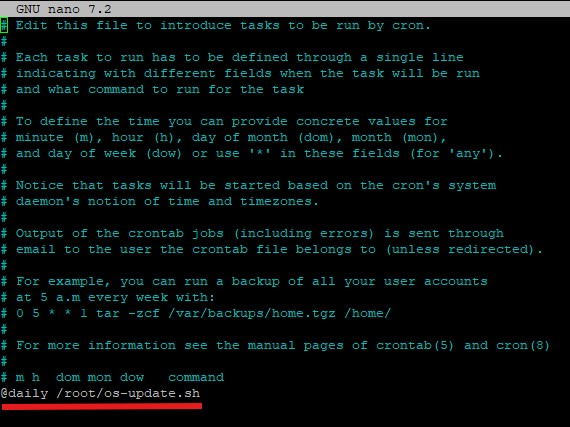
then press Ctrl + x it will prompt you [ Save modified buffer? ] press y and enter
You are done the script in the location /your_path/os-update.sh it will automatically run daily.