
Fixing DNS Leakage on Windows 10 & 11
Fixing DNS Leakage on Windows
To fix dns leakage on windows 10 we must edit the following Registry Entries:
- HKEY_LOCAL_MACHINE\Software\Policies\Microsoft\WindowsNT\DNSClient
- HKEY_LOCAL_MACHINE\SYSTEM\CurrentControlSet\Services\Dnscache\Parameters
Disabling Smart Multi-Homed Name Resolution
Open REGEDIT and go to the following key path:
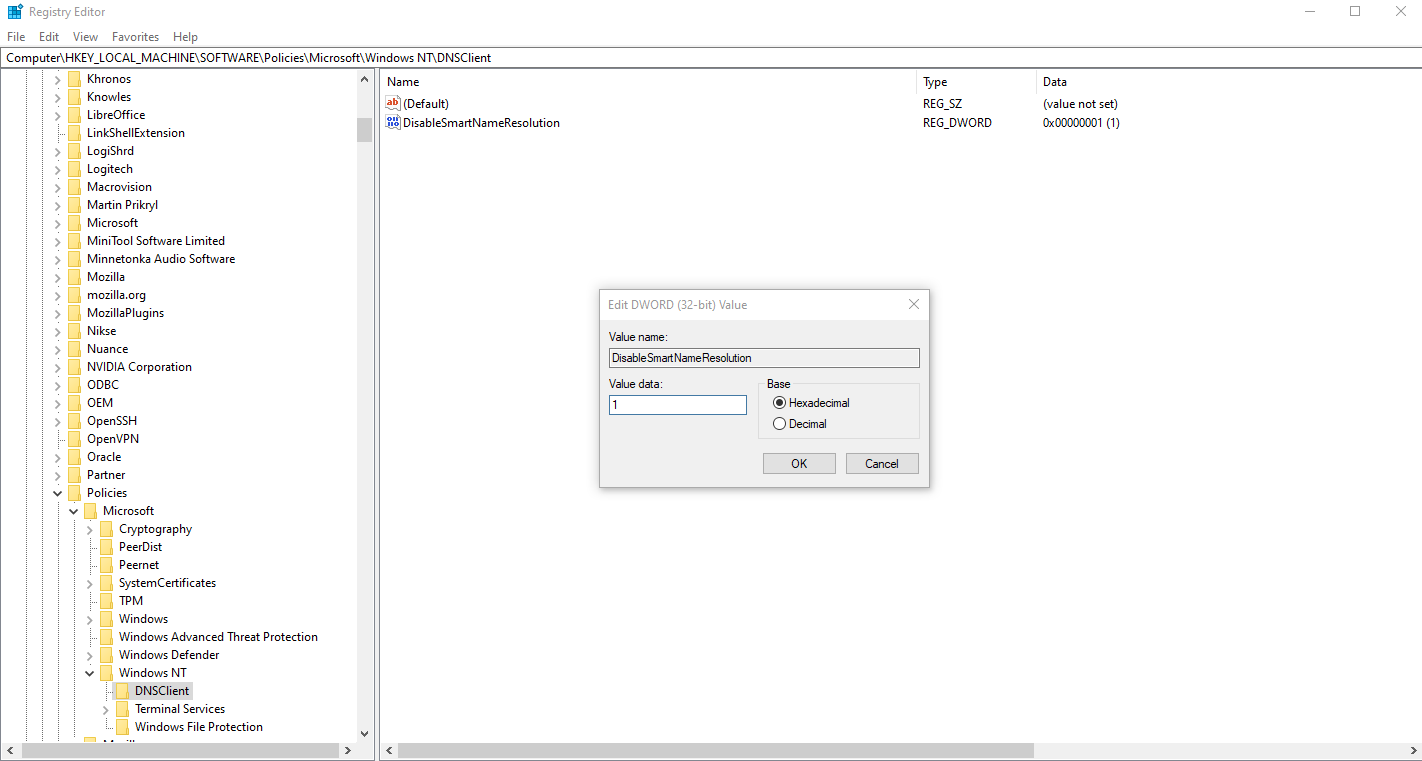
Computer\HKEY_LOCAL_MACHINE\Software\Policies\Microsoft\Windows NT\DNSClient
If the folder/keypath does not exist, create it inside the Windows NT Key.
(Right-click on Windows NT → New → Key)
Once that is done create a DWORD (32-bit Value) with the following data:
- Value: DisableSmartNameResolution
- Data: 1
Disabling Parallel A and AAAA Resolution
Open REGEDIT and go to the following key path:
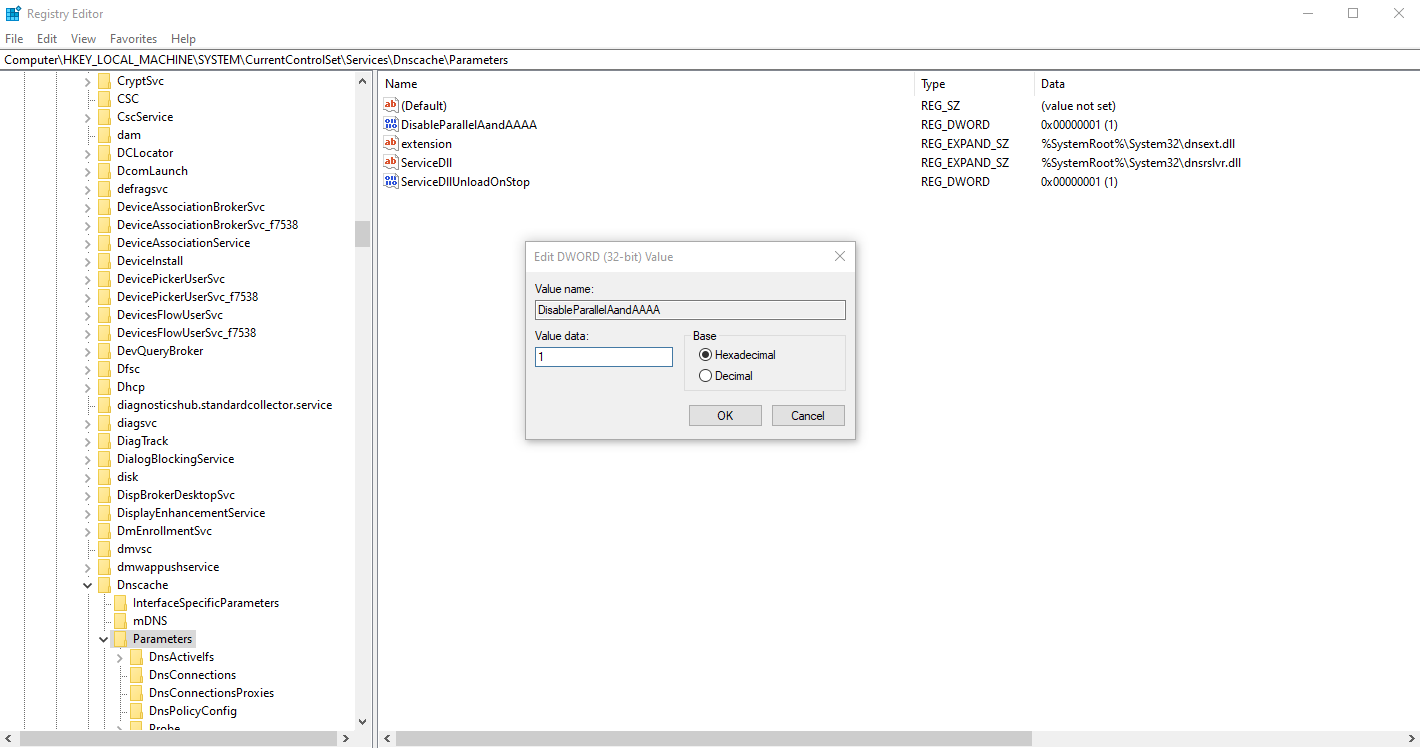
Computer\HKEY_LOCAL_MACHINE\SYSTEM\CurrentControlSet\Services\Dnscache\Parameters
Create a DWORD (32-bit Value) with the following data:
- Value: DisableParallelAandAAAA
- Data: 1
Download the reg file FIX DNS Leak
Attachment Link Win_Fix_DNS_Leak.reg